Understand important documents faster with AI.
Analyze PDFs, Word, Excel, PowerPoint, invoices, contracts, reports, images and scanned paper documents with AI. NexaFile summarizes content, extracts key information, flags risks and turns documents into clear next actions for individuals, professionals and teams.
 DashboardDocumentsPaper ScanRulesReports
One AI workspace for personal, professional and business documents
From individuals reviewing important contracts to businesses processing thousands of documents, NexaFile helps read, summarize, extract information and surface what needs attention.
Individuals
Understand contracts, insurance documents, invoices, records and other important documents without manually reviewing every page.
Professionals & Freelancers
Review client contracts, proposals, invoices, reports and forms; extract data, compare content and identify next actions.
Businesses & Teams
Teams can process documents in shared workspaces with rules, workflows, reporting and access controls.
Bring your documents. NexaFile helps you understand what matters.
PDF · Word · Excel · PowerPoint · Images · CSV · TXT · Contracts · Invoices · Reports · Scanned documents · Google Drive
Analyze multiple document formats with AI
Upload PDF, Word, Excel, PowerPoint, images, TXT or CSV — or choose documents directly from Google Drive. NexaFile normalizes content so AI can summarize, extract data, surface risks and identify next actions.
OneDrive supports personal Microsoft accounts such as Outlook.com/Hotmail; SharePoint is for organizational Microsoft 365 accounts and may require IT Admin consent.
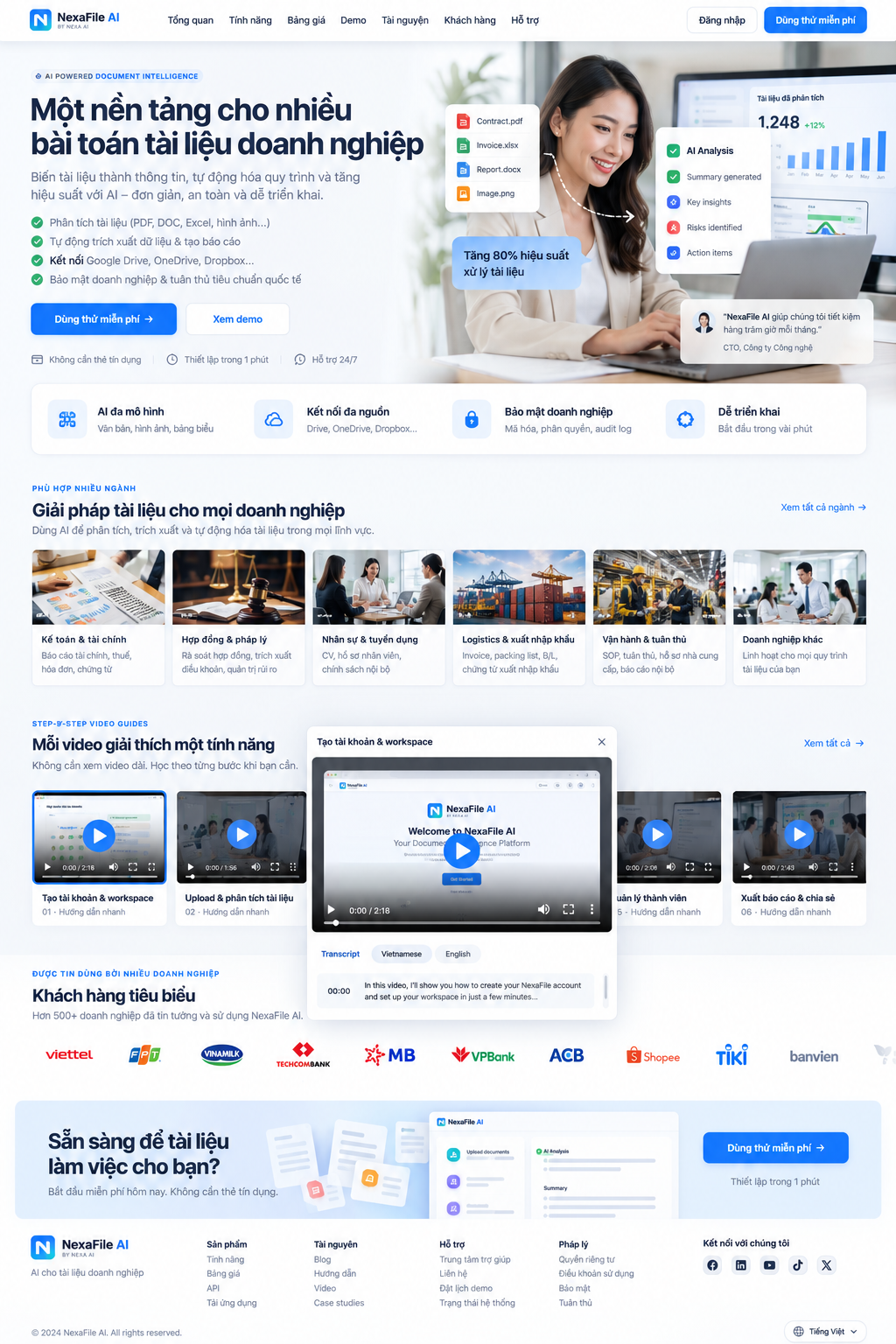
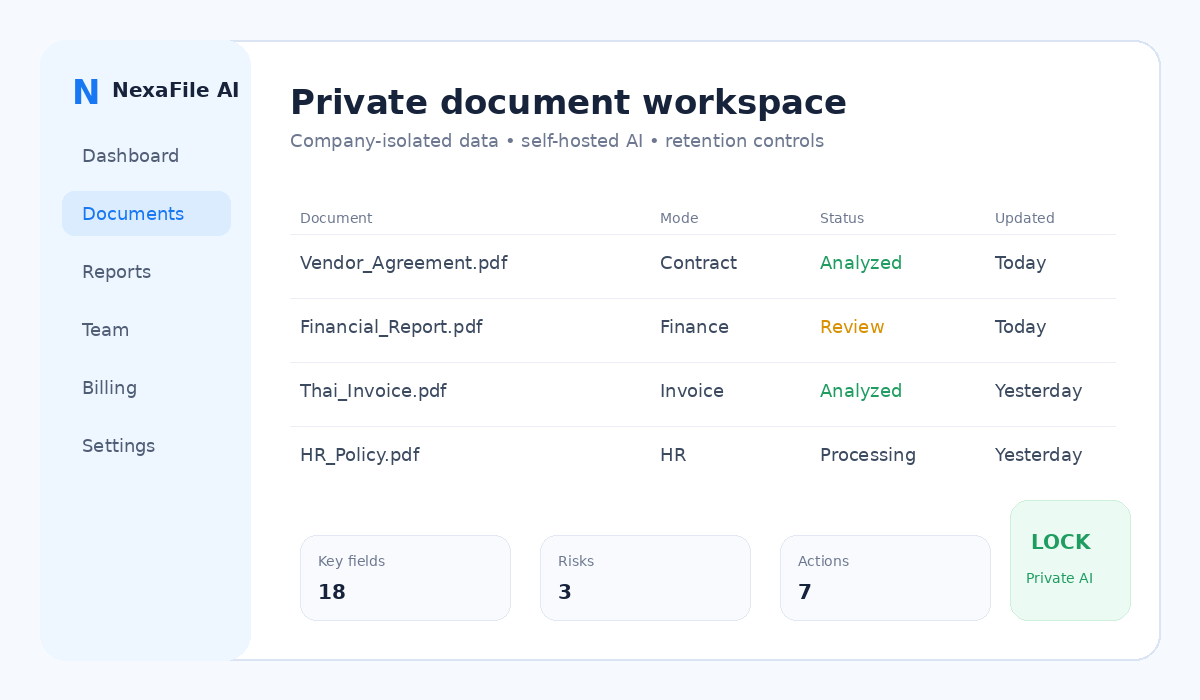

One platform for many business document workflows
NexaFile turns business documents and personal files into structured information, risks and next actions for individuals, professionals and teams.
DocumentsPaper ScanRulesReportsSupplier-contract.pdf
Validation result
Finance & accounting
Financial reports, tax files, invoices and payment documents.
Contracts & legal operations
Terms, obligations, dates, renewals and red flags.
HR & recruitment
CVs, employee files, onboarding and internal policies.
Logistics & import/export
Invoices, packing lists, B/L and import/export documents.
Operations & compliance
SOPs, compliance, supplier files and internal reports.
Other documents
Analyze supported formats; results depend on file structure, encryption and scan quality.
Bring Google Drive, OneDrive and SharePoint documents into NexaFile
Connect your account, choose files you can access and import them for analysis. OneDrive supports personal Microsoft accounts; SharePoint requires an organizational Microsoft 365 account and may need IT admin consent.

Google Drive

OneDrive

SharePoint
Connect your cloud account
Import only the documents you select
Summary · Risks · Actions · Reports
Less manual handling, fewer errors, more predictable operating cost
Teams avoid downloading, copying fields, comparing multiple files and re-entering information. NexaFile performs the first pass, structures information and surfaces exceptions for people to decide.
From paper documents to evidence-backed validation
Paper scan → understand → validate against company rules → report and export.
📷 Paper scan
Open Paper Scan to capture a document with the camera and review the image before analysis.
🧠 Document Intelligence
Summary, key fields, dates, amounts, risks, actions and evidence.
✓ Document Rules
Admins define internal rules; the system returns PASS / WARNING / FAIL from extracted data.
📊 Report & Export
Aggregate documents and download PDF, DOCX, XLSX, CSV or JSON.
A dedicated guide for every feature
No more synthetic tutorial series. Read the exact guide you need and watch one overview video.
Example use cases
 FINANCE
Finance and tax review
Surface important figures, dates, anomalies and follow-up items from financial and tax documents.
CONTRACTContract first-pass review
Extract obligations, payment terms, renewal dates and red flags before a human reviewer takes over.
 GLOBAL
Multilingual document analysis
Read Thai, English, Vietnamese, Japanese, Korean and Chinese documents and choose the output language.
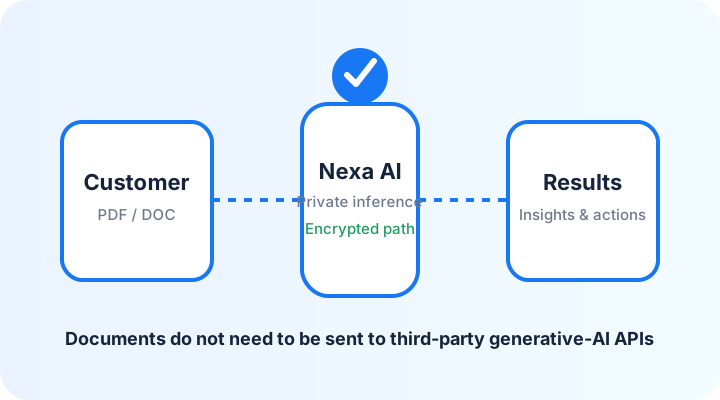
Know where document processing happens
Trial, Starter, Business and Scale are SaaS plans. Required content may be sent to the configured AI API provider, currently OpenAI API, only to perform the user-requested analysis.
Private/self-hosted AI is an Enterprise option under a separate agreement; that mode can use a dedicated model instead of a third-party GenAI API. NexaFile does not claim that SaaS data never leaves the customer company.
From documents to business decisions
A visual workflow: scan/upload, AI extraction, rule validation, human approval, and report export.
Scan
PDF · DOCX · XLSX · JPG · PNG
Document Intelligence
Fields · risks · deadlines · actions
Document Rules
PASS · WARNING · FAIL · Evidence
Approval
Owner/Admin review before completion
Reports & Export
PDF · DOCX · XLSX · CSV · JSON
Multilingual documents, one workflow
Choose your interface language and the language of your analysis results. Review generated reports before using them for decisions.
🌏 View supported languages
Language
Analysis output language
Learn safer document-AI practices


Give your team one place to understand business documents.
14 days · 3 users · 5 documents · 50 total pages · 25 AI Credits · max 20 pages/document · up to 3 files/batch
Create company workspaceAI Document Intelligence with Department Approval Workflows
AI analyzes first. Employees review. Department managers retain final approval.
Case Studies →AI Credits usage guide
A credit refill adds AI capacity in the current period; it does not raise the member limit or extend the period.
Bring one real document. See what matters first.
Summaries, key facts, dates, amounts, risks and next actions — in one private document workflow.
